Deadlines die in Excel. Not because the sheet is poorly kept — usually it's the opposite, carefully maintained. They die because nobody has the file open on the right day. The inspection is in row 7, the date is correct, the column is neatly formatted — and still no one notices until it's overdue. A spreadsheet doesn't remind you. It just sits there.
CellAlert closes exactly that gap. It turns a date in an Excel cell into a monitored deadline and speaks up in time — even when Excel has been closed for weeks.
The idea: the cell stays, the reminder comes from outside
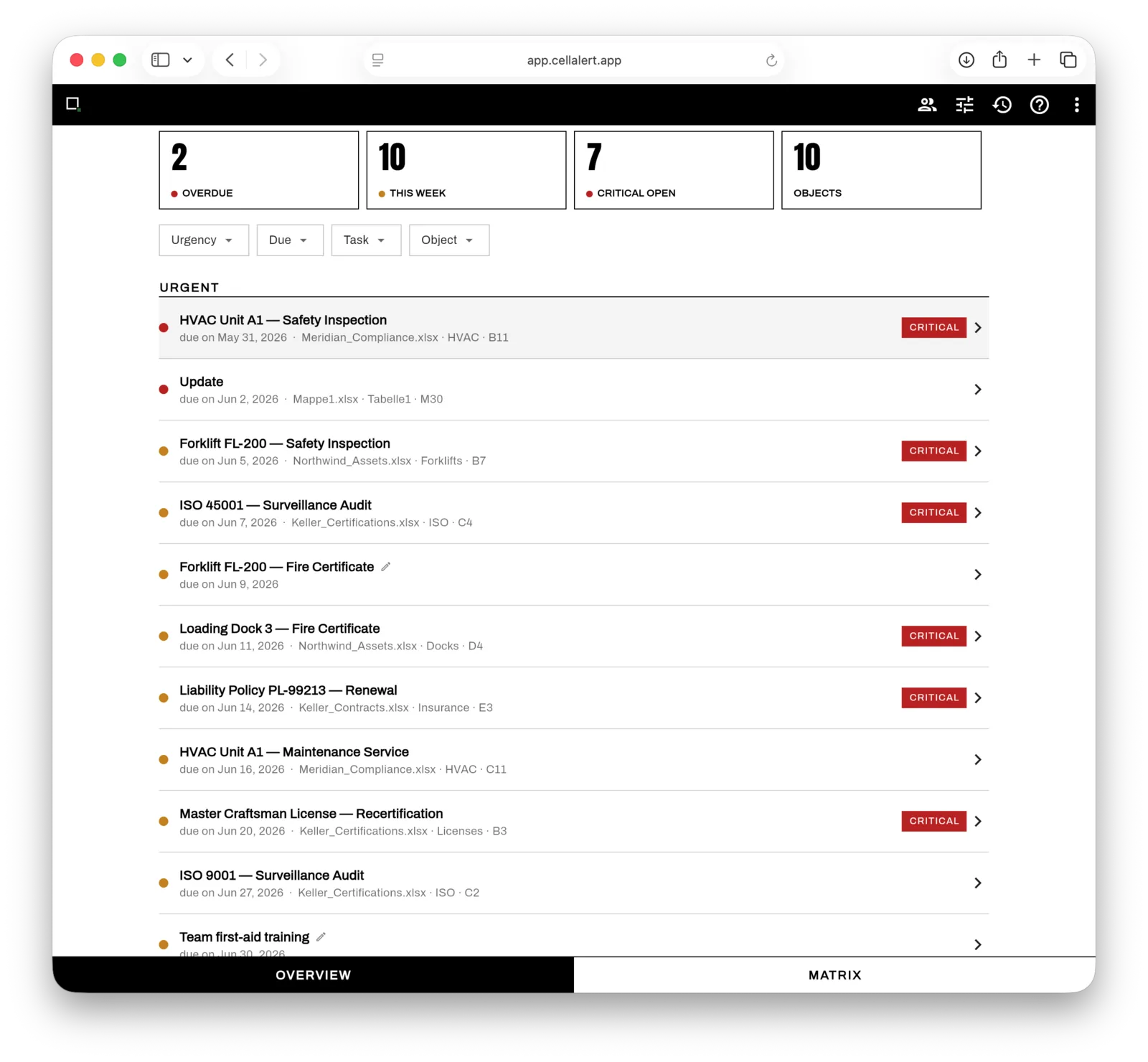
CellAlert asks for no migration and no rebuild. You point it at the cell with the date — Meridian_Compliance.xlsx · HVAC · B11 — and CellAlert watches it. Excel stays the source of truth. The alerts deliberately live outside the file: lose the Excel, overwrite it or delete it by accident, and the deadline still stands.
That's the whole trick — and the reason there's no new system to learn. Whoever works with spreadsheets today keeps working the same way tomorrow. Except now someone is watching the data.
Overview: everything urgent on one page
The overview answers the one question that drowns in the sheet: what's on fire right now? Four metrics up top — overdue, this week, critical open, number of objects — and below them the list sorted by urgency. Every row shows where it came from: file, sheet and cell. Critical deadlines are flagged as such.
Matrix: many objects, many checks, one grid
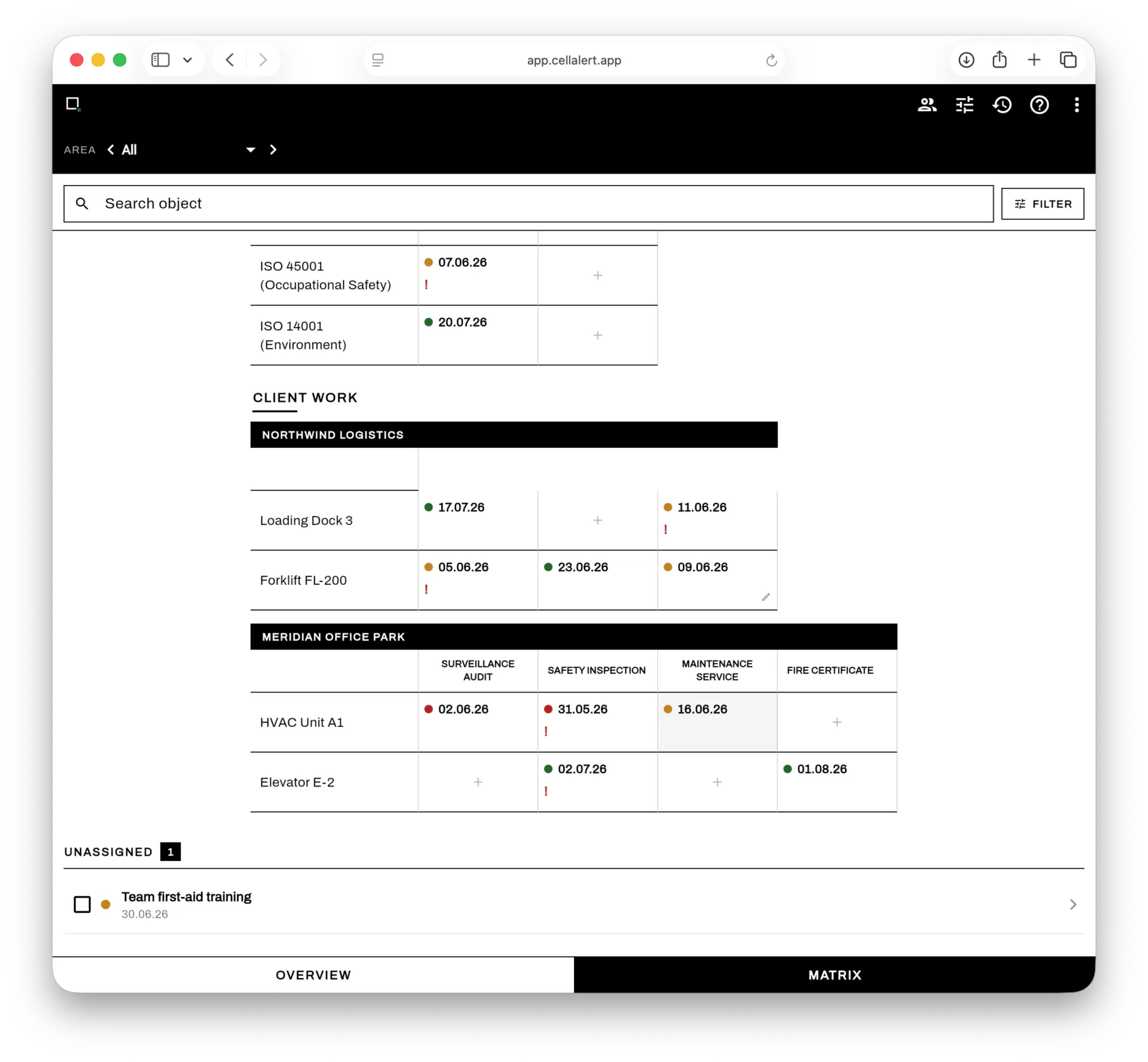
If you look after assets, sites or clients, you don't think in one long list — you think in a grid: which object needs which check, and when? The matrix lays objects against check and task types — maintenance, expert inspection, safety audit — and colours each deadline by status: green, amber, red. Grouped by client or area, you see at a glance where it's getting tight.
Mobile too — the deadline catches you wherever you are
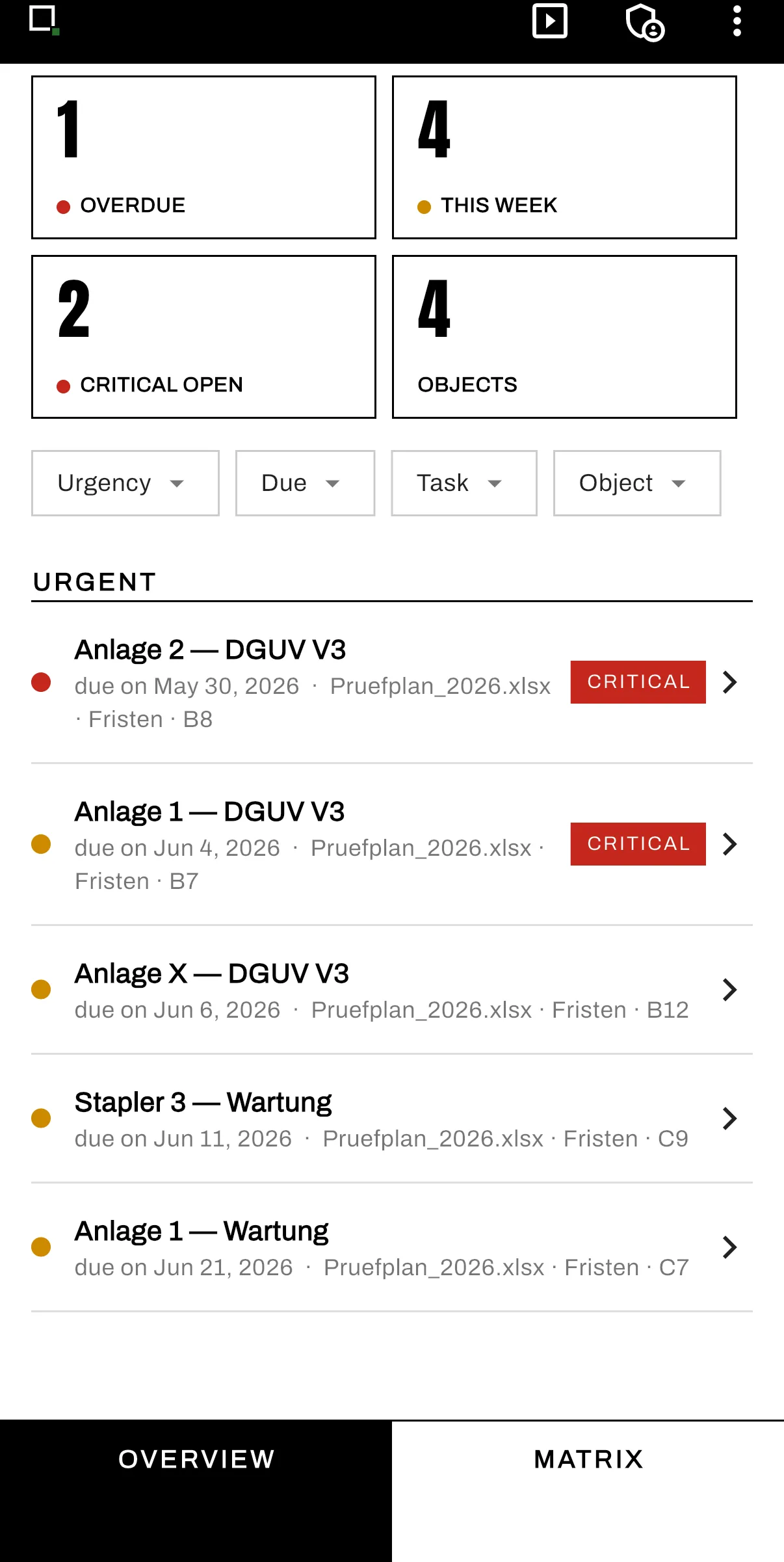
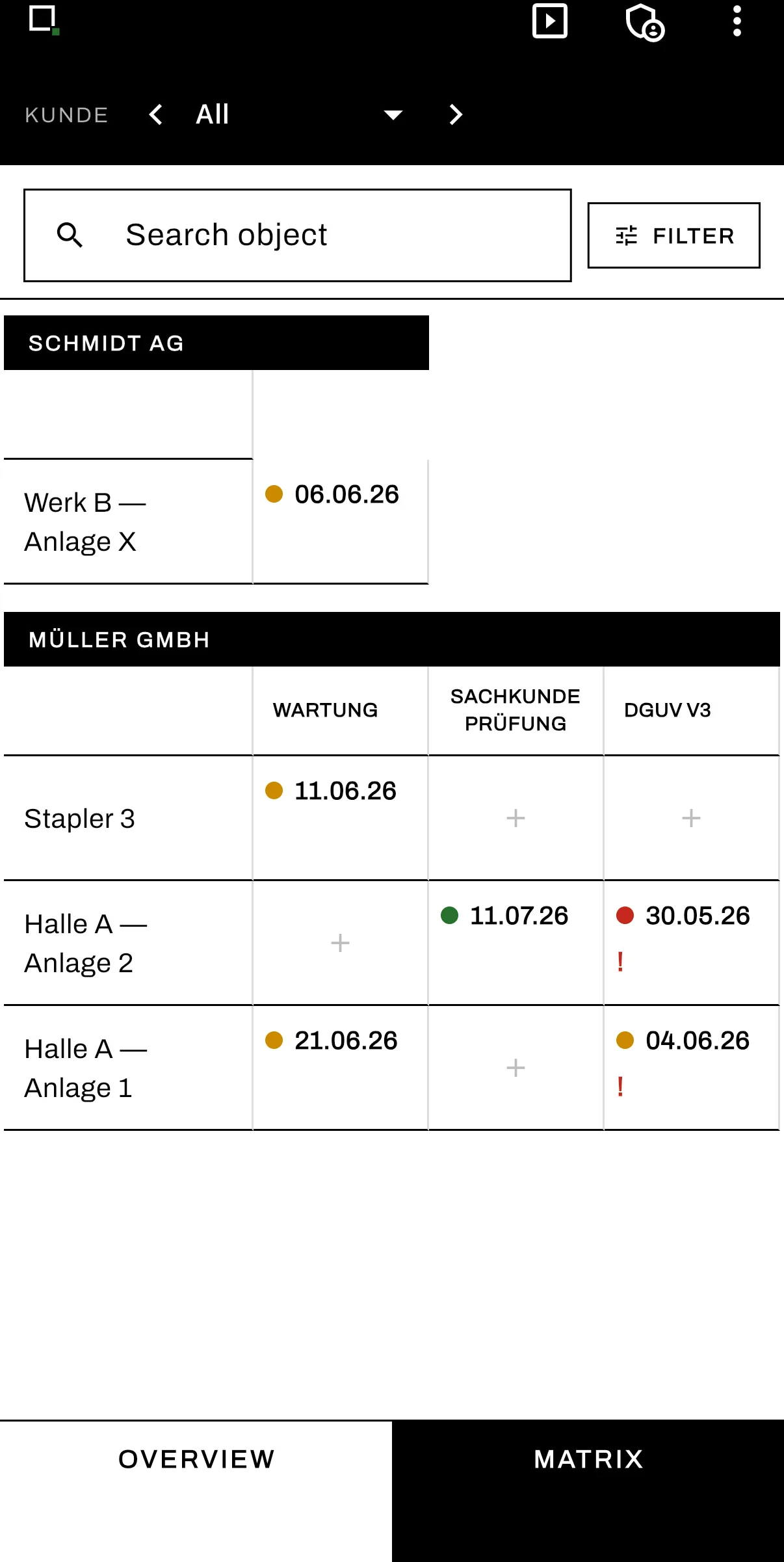
Deadlines don't keep desk hours. CellAlert runs as a web app and as a mobile companion with the same two views — overview and matrix — so the next due check is one swipe away on the move as well.
Who it's built for
CellAlert is for anyone tracking many recurring deadlines across many objects in Excel — and who, for exactly that reason, keeps letting one slip:
- →Health & safety officers (inspections, briefings, recurring checks)
- →Facility and maintenance teams (assets, inspection intervals, certificates)
- →Quality and compliance owners (ISO audits, recertifications, policies)
- →Service providers juggling inspection dates for several clients
No lock-in — promised
CellAlert is one connected suite: a web app, an Excel add-in and (in progress) native apps for macOS and Windows. New: CellAlert is now also available as an add-in for LibreOffice Calc and FileMaker — you stay in your tool of choice, CellAlert just adds the reminders. What it is not: a cage. CSV export is available anytime, Excel stays your source of truth, and if you want to walk away tomorrow, you simply take your data with you.
Where to get it
CellAlert is available now — right in your browser at cellalert.app. All the details, screenshots and the privacy policy live on the app page.
— Jonas