Two very different things hide behind "Stream Deck software"
If you Google stream deck software on a Mac, search results pretend it's one product category. It isn't. People typing that query split cleanly into two camps:
- 01Streamers — they want to control OBS scenes, mute mics mid-broadcast, fire alerts on Twitch, and they often own (or are about to buy) the Elgato hardware. They need the Elgato Stream Deck software because it integrates directly with OBS, Streamlabs, Twitch, and the rest.
- 02Everyone else — they saw a YouTuber's setup and thought "wait, can I have a row of one-click buttons for my Mac stuff? Open Slack, fire the daily Zoom link, toggle Dark Mode?" They don't stream. They want a productivity launcher.
Those are different problems with different tools, and bundling them under the same search term is why so many comparison articles end up confusing both audiences.
This guide separates them. If you're streamer-shaped, the right answer is the official Elgato app (and probably the hardware). If you're productivity-shaped, you don't need a $150 keypad — you need a virtual stream deck that runs on your Mac as software. GridBar is one of those, and we built it. The rest of this article is the honest case for which tool fits which person.
Disclosure: I'm the developer of GridBar. I'll tell you when GridBar is the right tool and when it isn't.
Path 1 — You actually stream
If your goal is live streaming, this section is short.
Use the Elgato Stream Deck app. It exists in two flavors:
- →With hardware — the physical Stream Deck (Mini, MK.2, XL, +) that sits on your desk. Around $80–$250 depending on the model. The app drives the LCD keys.
- →Without hardware — Elgato also publishes the Stream Deck Mobile app for iPhone/iPad, which mirrors the Stream Deck experience to your phone screen. Subscription-based but still cheaper than the physical units.
Why the official app is the right pick here:
- →Native plugins for OBS, Streamlabs, vMix, XSplit, Twitch, YouTube Live, Discord
- →Scene switching with one button
- →Mic / camera / source muting
- →Marketplace for community plugins
- →Multi-action sequences specifically designed around live broadcasts
- →Tight handoff with Stream Deck hardware if you later add it
If your daily use is OBS scenes mid-stream, don't try to retrofit a productivity launcher into a streaming control surface. The official app is free, and the time you'd spend wiring up a third-party tool to replicate it is more expensive than the hardware.
GridBar is not the right tool for this. It can fire URLs and trigger Apple Shortcuts, so technically you could route a few stream actions through Shortcuts.app. But there's no native OBS plugin, no source mute, no scene switcher. If you're a streamer, stop reading and go to elgato.com.
Path 2 — You don't stream, you just want one-click actions on your Mac
This is where most of the "stream deck software for Mac" search traffic actually lives. People who type that query usually don't run OBS. They run Mail, Slack, Figma, Xcode, Notion, Zoom, Spotify, and they want one-tap access to the same five things they open every morning.
For this group, the actual product they want is closer to:
- →A better Spotlight — Spotlight is fine for finding files, less great for "do this exact action right now"
- →A Launchpad replacement — Launchpad has been quietly deprecated for years; nobody loves it
- →A mac app launcher with system toggles — open apps and flip Dark Mode / DnD / Bluetooth from the same panel
- →A virtual stream deck for productivity — the one-tap-action UI, minus the streaming integrations
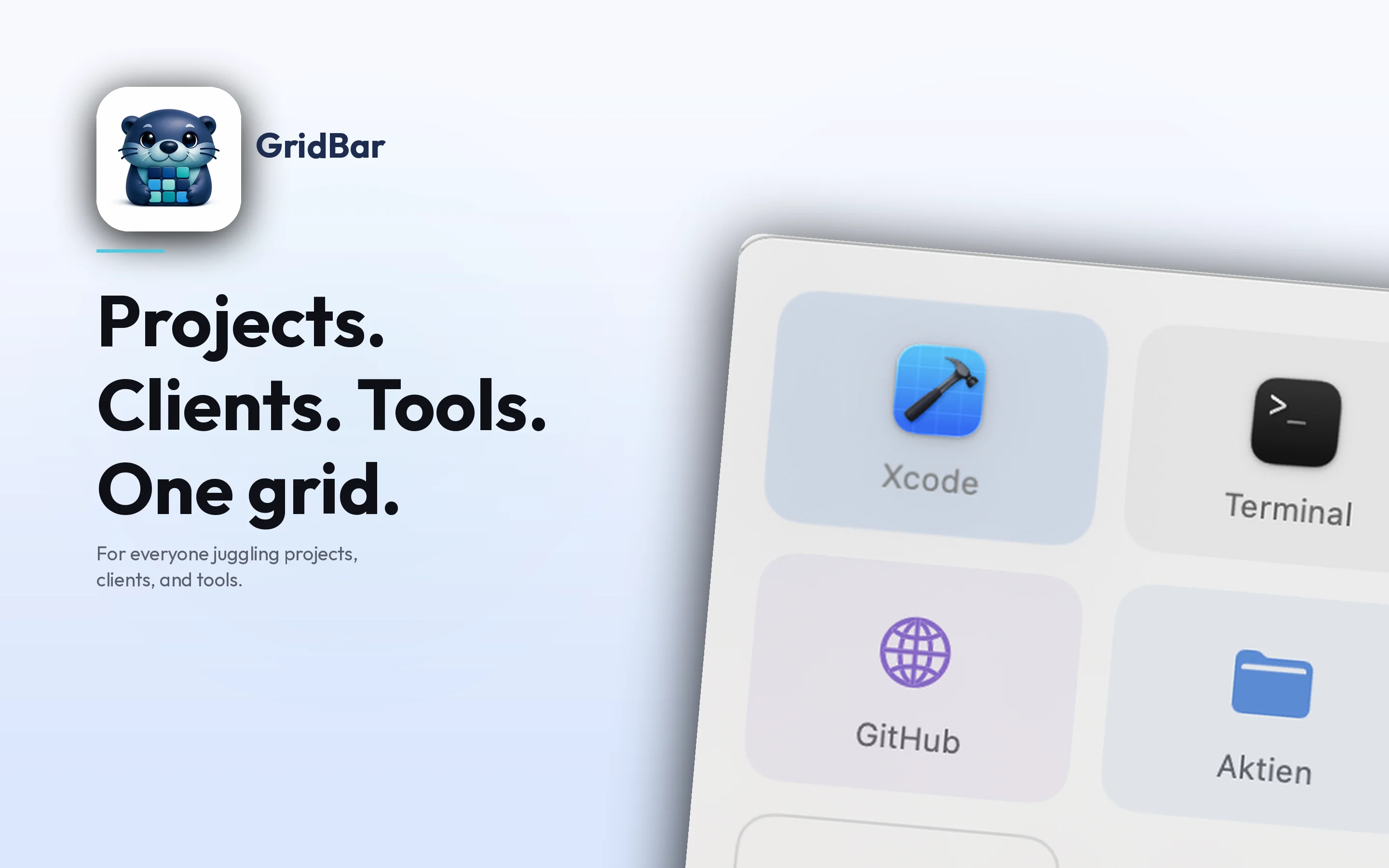
That's the niche GridBar is built for, and the rest of this article is how it compares to the alternatives in that lane.
What GridBar actually is
GridBar is a visual launcher for macOS. Press a global hotkey (default ⌥ Space), a floating panel of tiles appears, you click one, the action runs, the panel closes. Each tile is one of:
- →Open an app — drag any app from
/Applications, the icon comes along automatically - →Open a URL — paste a link, GridBar fetches the favicon
- →Open a folder or file — quick access to project directories, templates, current invoice
- →Toggle a macOS setting — Dark Mode, Do Not Disturb, Bluetooth, AirDrop, Night Shift, Stage Manager
- →Run a shell command —
npm run dev,make build, custom scripts (Pro, with Shortcuts bridge in the App Store sandboxed build) - →Trigger an Apple Shortcut — anything you've built in Shortcuts.app
- →Multi-action tile — one tile, multiple actions in sequence, e.g. "Start Workday: open Mail + open Slack + turn DnD off + copy daily Zoom link" (Pro)
You can have multiple boards (one for Work, one for Personal, one for a specific client), switch boards with ⌘1–⌘9, and fire tiles with 1–9 if you prefer the keyboard.
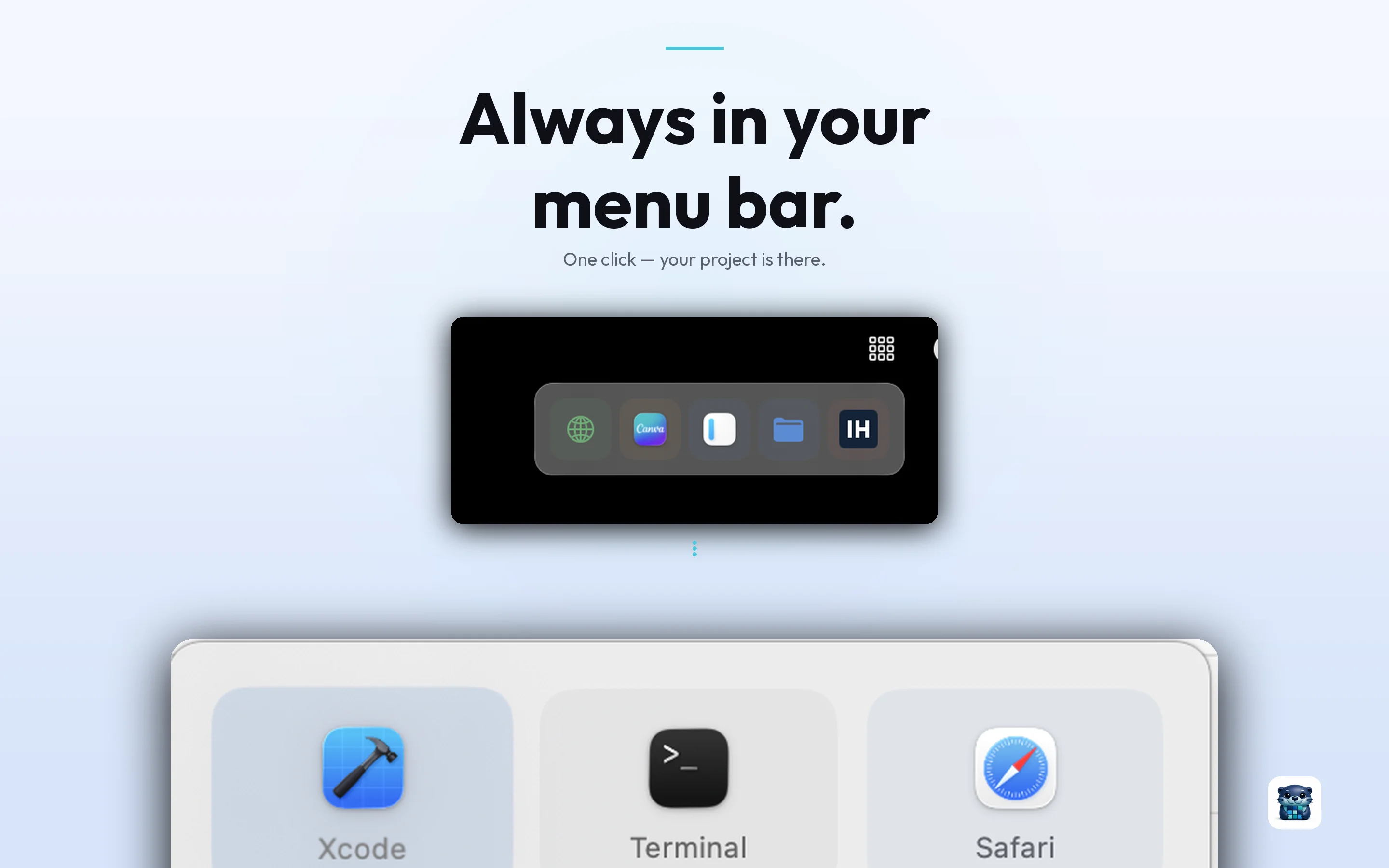
GridBar lives in your menu bar and stays out of the way. Nudge the screen edge and your board slides out — or press the global hotkey from anywhere. No floating window to babysit, nothing to remember.
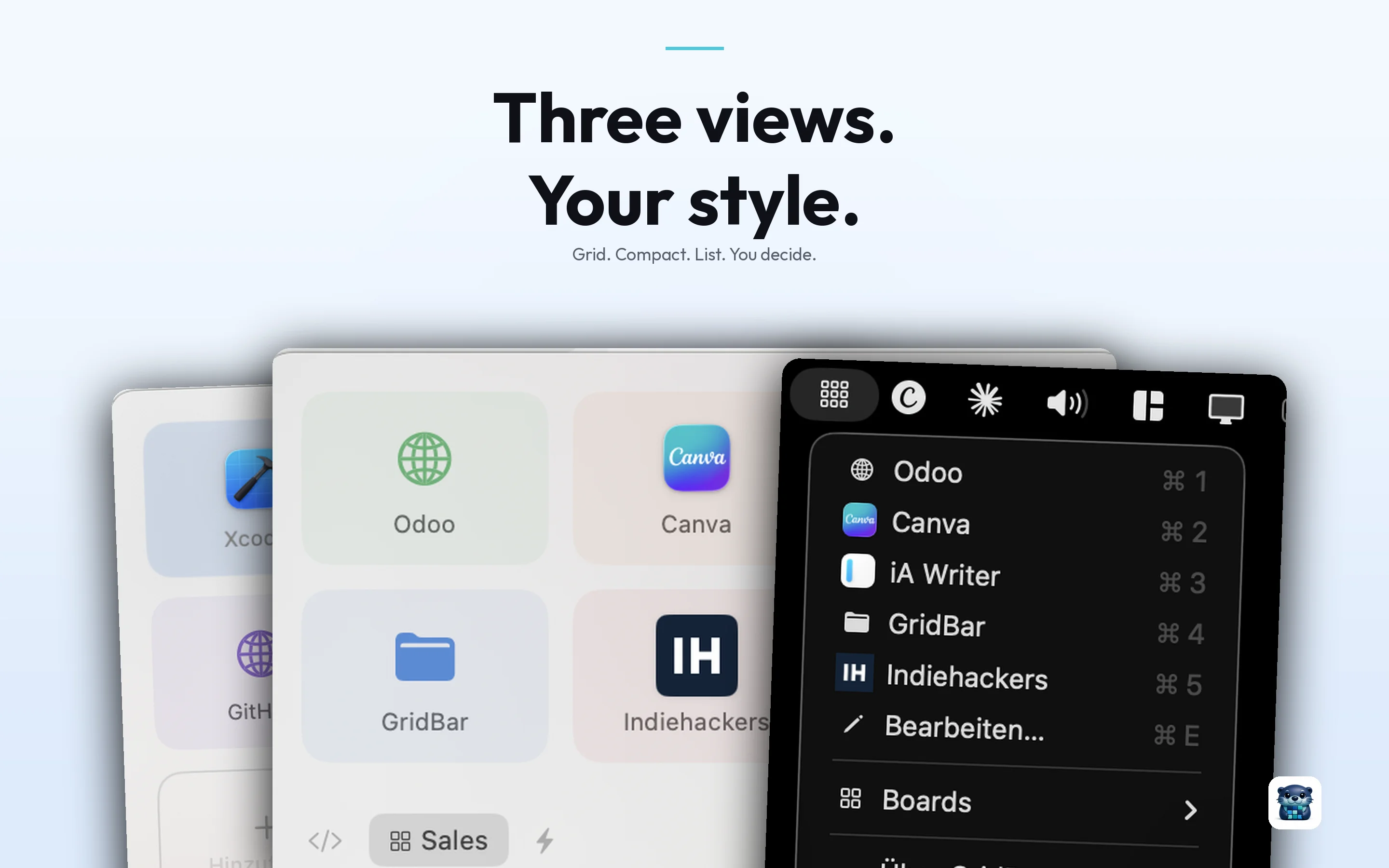
GridBar is native SwiftUI, not Electron. RAM footprint is in the low MBs, not 200 MB+. macOS 14 and later. Apple Silicon native.
Where GridBar fits — and where it doesn't
I'll be specific because the broad "stream deck software for Mac" claim hides a lot of edge cases.
Use GridBar if you want:
- →A Spotlight alternative that you click instead of type
- →A Launchpad replacement for the apps you actually open daily
- →A virtual stream deck for productivity — one-tap actions for daily Mac workflows
- →A menu bar launcher that works without dominating your screen
- →One-click system toggles without digging through Control Center
- →Multi-action workflow buttons without learning Keyboard Maestro
- →A no-subscription tool — one-time $14.99 for Pro, or stay free forever on the limited tier
Do NOT use GridBar if you want:
- →OBS scene switching, mic muting, Twitch chat moderation — buy a Stream Deck or use the official Elgato app
- →A Raycast-style command palette with extensions, AI commands, clipboard history — Raycast is the right tool, plain and simple
- →Hardware buttons — GridBar is software-only, no LED keypad
- →Cross-platform — macOS only; no Windows, no Linux
- →iPad / iPhone version — desktop only
I'd rather lose a download than have someone install GridBar expecting Stream Deck Mobile and writing a one-star review.
Comparison: virtual stream deck and launcher tools on Mac
This is the productivity lane only. Streaming-first tools (Elgato Stream Deck app, Touch Portal, Loupedeck) are deliberately excluded because they solve a different problem.
| Tool | What it is | Strengths | Weaknesses | Price |
|---|---|---|---|---|
| GridBar | Visual grid launcher | Visual UI, drag & drop, multi-action tiles, native SwiftUI, no subscription | macOS only, no command palette, no extensions | Free / $14.99 once |
| Raycast | Text command palette | Massive extension library, AI features, fast | Text-first (not visual), Pro is subscription, can feel overwhelming | Free / $8 mo Pro |
| Alfred | Text command palette + workflows | Mature, scriptable workflows, one-time purchase | Powerpack is paid, learning curve, dated UI | Free / $34 lifetime |
| BetterTouchTool | Trackpad / hotkey customizer | Extreme depth, gesture support | Configuration-heavy, not a launcher per se | $9 / $22 |
| Keyboard Maestro | Macro automation | Most powerful macro engine on Mac | Steep learning curve, dated UI | $36 |
| macOS Spotlight | System search | Free, built in, works | Not visual, not extensible to custom actions | Free |
| macOS Launchpad | App grid | Built in | Apps only — no URLs, no toggles, no actions | Free |
The honest summary: if the visual matters more to you than the typing, GridBar is in your shortlist. If the typing matters more, Raycast or Alfred is.
Alfred vs Raycast vs GridBar — the question that comes up a lot
Searches like alfred vs raycast show real volume. The implicit ask is "which command palette should I use." If that's the question, the answer is one of those two — pick Raycast if you want extensions and AI; pick Alfred if you want a one-time purchase and stable workflows.
GridBar isn't really in that fight. It's in the adjacent lane: visual instead of textual. Plenty of users run Raycast + GridBar side by side. Raycast covers clipboard history, snippets, search, AI; GridBar covers the daily-driver tiles you want to see (Slack, daily Zoom, Dark Mode, Spotify) without typing anything.
If you have to pick one and you're a heavy keyboard user, pick Raycast. If you're more visual or come from iOS/iPadOS habits, pick GridBar. Many people run both.
Quick actions on Mac — the one-tap muscle memory
A surprising number of people end up at GridBar by searching for things like do not disturb shortcut mac, mac quick actions, or night shift toggle mac. These are people who've memorized that the action exists and have given up on finding the buried setting.
GridBar tiles map naturally to these:
- →Toggle Dark Mode — one tile
- →Toggle Do Not Disturb — one tile
- →Toggle Night Shift — one tile
- →Toggle Bluetooth / AirDrop / Stage Manager — one tile each
- →Quick app actions — open Slack, Mail, Calendar, Spotify
It doesn't replace Control Center. It just gives you the four toggles you actually use, glance-able, on a hotkey, instead of clicking the menu-bar icon and navigating Control Center every time.
Pricing — no subscription
| Tier | What you get | Price |
|---|---|---|
| Free | 1 board, 8 tiles, app/URL/folder actions, Dark Mode + DnD toggles, 3 colors | $0 forever |
| Pro | Unlimited boards, unlimited tiles, all system toggles, shell commands, Apple Shortcuts, multi-action tiles, full color palette, board export/import | $14.99 one-time |
That's it. No monthly fee, no yearly fee. Mac users dislike subscriptions for utility apps, and we'd rather lose ARR-line revenue than annoy our customers.
If you previously bought GridBar before the v1.2 free transition, Pro is unlocked automatically when you update.
Privacy
GridBar stores everything locally on your Mac. No accounts, no analytics, no telemetry, no crash reporting that ships data off-device. The only network request is fetching favicons when you add a URL tile, and that can be turned off.
This matters more than it sounds. Several recent Mac launchers have rolled out cloud-AI features that send your queries (and sometimes your context) to third-party LLMs. GridBar doesn't.
Frequently asked questions
What is the best Stream Deck software for Mac?
For streaming (OBS, Twitch, scenes, mic mute): the official Elgato Stream Deck app — with or without hardware. For productivity (launcher, app shortcuts, system toggles): a virtual launcher like GridBar, Raycast, Alfred, or BetterTouchTool. The two camps don't share a winner.
Is there a virtual Stream Deck for Mac?
Yes — but the term covers two different products. The Elgato Stream Deck Mobile app turns an iPad/iPhone into a virtual Stream Deck for streaming. GridBar is a Mac-native virtual launcher (no streaming plugins, productivity-focused). Pick based on whether you stream.
Does GridBar work without the Elgato hardware?
GridBar has no relationship with Elgato hardware — it's standalone software. You don't need any hardware. The whole interface lives on your Mac screen and is summoned by a hotkey.
Is GridBar a Stream Deck alternative?
For the productivity use case (launching apps, opening URLs, toggling system settings, running shortcuts) — yes. For the streaming use case (OBS scenes, mic muting, mid-broadcast control) — no, and we don't pretend otherwise. If you want a free alternative for streaming control, look at Touch Portal or deckboard.
What's the best Spotlight alternative on Mac?
Depends on whether you want to type or click. Raycast and Alfred are the strong text-based Spotlight replacements. GridBar is the visual one — instead of typing a query, you click a tile. Some users run Spotlight (or Raycast) for search and GridBar for fixed daily actions.
What's a good Launchpad replacement on Mac?
Launchpad shows every app you have, alphabetically, in a paginated grid you have to scroll through. Most people only open about a dozen apps daily. GridBar lets you build a tile board of just those apps with full visual icons — and add non-app actions (URLs, folders, toggles) that Launchpad can't do.
Raycast vs GridBar — which one?
Different products. Raycast is text-first (you type a query, it suggests the action). GridBar is click-first (you see your tiles, you click one). Many users run both. If you have to pick one and you're a keyboard person, choose Raycast. If you're more visual or want a Stream Deck-style UI without the hardware, choose GridBar.
Alfred vs Raycast — which is better?
For most new users in 2026: Raycast, because the extension ecosystem is bigger and the AI features are well-built. Alfred is still the right pick if you want a one-time purchase (no subscription) and you're comfortable building Workflows. Either one is more powerful than Spotlight; neither is visual.
How does GridBar compare to BetterTouchTool or Keyboard Maestro?
BetterTouchTool and Keyboard Maestro are automation toolkits — extremely powerful, configuration-heavy, and not really launchers. GridBar is a launcher with simple action tiles. If you already have BTT or KM running your macros, GridBar is the visible "front-of-house" panel; if you don't and you don't want to learn one, GridBar is the simpler standalone choice.
Is GridBar free?
Yes — free download on the Mac App Store with a 1-board / 8-tile free tier that's usable on its own. Pro is a one-time $14.99 in-app purchase that lifts the limits and adds shell commands, Apple Shortcuts, multi-action tiles, the full color palette, and board export/import. No subscription.
Where can I download GridBar?
On the Mac App Store. Native, signed, sandboxed. macOS 14+, Apple Silicon native.
Closing — pick the tool that matches the actual job
The reason "Stream Deck software for Mac" is such a confused search term is that it bundles two real groups of users into one query. Streamers should buy the Elgato hardware (or use the official app + Stream Deck Mobile). Everyone else — the bigger group — wants a visual launcher for daily Mac work, and the right tool there is GridBar, Raycast, Alfred, or BetterTouchTool depending on whether you prefer clicking, typing, or configuring.
GridBar is the click-first option. If that's how your brain works:
Download GridBar on the Mac App Store →
If you have feedback or you tried GridBar and bounced because it didn't fit your workflow — I want to hear that more than the praise. Reach me at contact@balane.tech or via the App Store review.