Do you even need software?
An honest answer up front: for a handful of simple, stable processes, Word or a wiki is enough. Buying an enterprise tool to document three workflows solves a problem you don't have.
Specialized process documentation software earns its place only when at least one of these three conditions holds:
- →Many processes need to be versioned, findable, and consistent.
- →Metrics should be recalculated automatically instead of rotting in Excel.
- →You want to simulate to-be states instead of just asserting them.
This article compares 7 tools not by feature lists, but by what actually matters in process documentation: keeping it current, versioning, collaborating, analyzing. It complements our deeper process modeling software comparison — that one is about modeling, this one is about documenting and maintaining.
Disclosure: We build FlowVisual, a tool that appears here. The evaluation stays honest, and for most use cases FlowVisual is not the answer.
The four categories of documentation tools
Before you compare tools, classify them. There are four classes, and most bad purchases happen because someone buys a tool from the wrong class:
- 01Text & wiki (Confluence, Notion, SharePoint): strong for work instructions and SOPs. Weak on visual flows and metrics.
- 02Diagram tools (draw.io, Lucidchart, Visio): strong for flowcharts and swimlanes. Weak because a diagram stays a picture — no logic, no analysis.
- 03BPMN repositories (Signavio, ARIS, Bizagi): strong on standards, governance, many processes. Weak on effort and price.
- 04Simulation tools (iGrafx, FlowVisual): strong because the process is computed, not just drawn. Weak — not meant for pure text docs.
The 7 tools compared
1. Word / SharePoint
Strengths: everyone has it, zero entry barrier, ideal for linear work instructions. Weaknesses: no real versioning across many documents, diagrams only as inserted images, no overview of the process landscape. Gets messy past ~20 processes. Verdict: the right starting point for small volumes. Not the destination once process documentation gets serious.
2. Confluence / Notion
Strengths: good structured text docs with linking, comments, and usable versioning. Docs live where the team already works — decisive for keeping them current. Weaknesses: diagrams only via plugins (e.g. draw.io embed). No process logic, no metric calculation, no simulation. Verdict: for most mid-sized companies, the pragmatic sweet spot for text-heavy process documentation — especially with embedded diagrams.
3. draw.io (diagrams.net)
Strengths: free, browser or desktop, BPMN and flowchart shapes, local storage possible. Integrates into Confluence. Weaknesses: pure drawing tool — no metrics, no simulation, no process logic underneath. Verdict: the best free way to visualize flows more cleanly than in PowerPoint. Too thin as the sole documentation base.
4. Lucidchart
Strengths: solid BPMN and Lean shape libraries, good live collaboration, browser-based. Weaknesses: no built-in metrics, no simulation. Everything in the cloud — a concern for sensitive process data. Per-user pricing. Verdict: a decent digital diagram editor for teams. Analysis depth is missing.
5. Microsoft Visio
Strengths: the classic for process diagrams, powerful shape libraries, integrated into the Microsoft ecosystem. Weaknesses: Windows-centric (on Mac only via web/workarounds), license cost, static diagrams without analysis. Mac users need a Visio alternative anyway. Verdict: strong in Windows shops with a diagramming tradition. Not an analysis or simulation tool.
6. SAP Signavio / ARIS
Strengths: enterprise BPMN repository with governance, approval workflows, process maps across hundreds of processes. The standard in large, regulated organizations. Weaknesses: implementation and license cost in the five- to six-figure range, steep learning curve. Almost always oversized for SMBs. Verdict: justified for enterprises with real governance needs. Rarely the right tool for the mid-market.
7. FlowVisual (Balane)
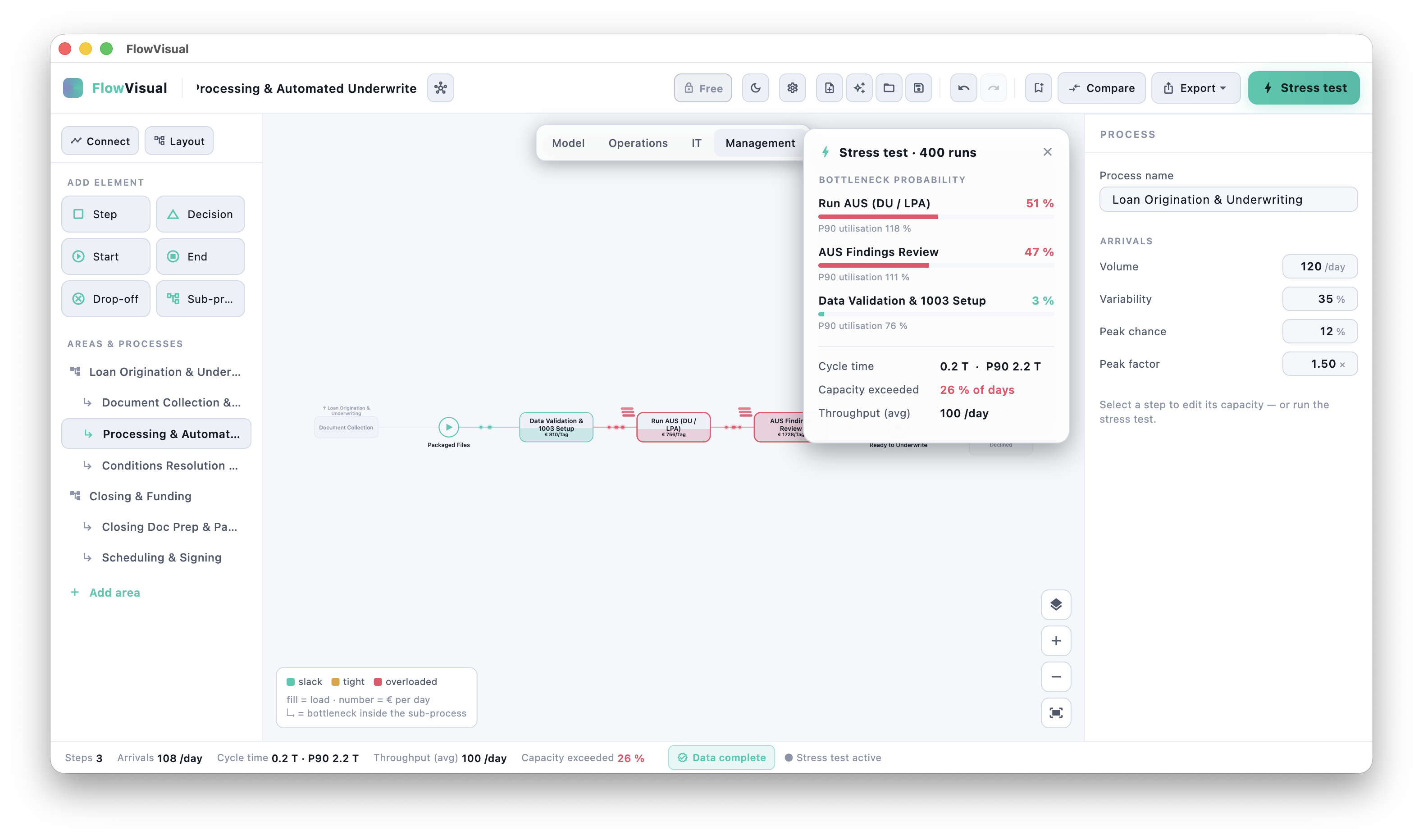
Strengths: runs natively on Windows and macOS, discrete-event simulation and Monte Carlo built in, data provenance per value (estimated / calculated / measured), branded PDF export including the process documentation. Fully local — no cloud, no sign-up. Available as a full version (v0.9) via direct download for Windows and macOS — 14-day free trial, then €99/year for 3 licenses (net, B2B). Weaknesses: not a wiki and not a classic BPMN repository — the focus is on the documented process as a living model, not on managing text-heavy SOPs. No live collaboration. Verdict: for anyone who wants their documentation not just filed but computed — making bottlenecks visible and deriving a € business case from them.
Comparison table
| Tool | Mac | Versioning | Metrics | Simulation | Collaboration | Price |
|---|---|---|---|---|---|---|
| Word/SharePoint | ✅ | weak | manual | ❌ | via M365 | included in Office |
| Confluence/Notion | ✅ | good | manual | ❌ | live | ~$5–10/user/mo |
| draw.io | ✅ | via host | ❌ | ❌ | via host | free |
| Lucidchart | ✅ (browser) | good | manual | ❌ | live | ~$8/user/mo |
| Visio | ❌ (Win) | medium | manual | ❌ | via M365 | license/sub |
| Signavio/ARIS | ✅ (web) | strong | partial | partial | yes | enterprise (5–6 figures) |
| FlowVisual | ✅ native (+ Win) | file-based | automatic | ✅ DES + Monte Carlo | no (single-doc) | €99/yr (3 seats) |
The real problem: stale documentation
No tool on this list automatically solves the core problem of process documentation — that it goes stale. Software only helps insofar as it lowers the friction of updating. From that follows a practical selection rule:
The best tool for your process documentation is the one your team already works in — plus exactly the one special capability your purpose demands.
Concretely:
- →Does your team work in Confluence/Notion? Then document there, with embedded draw.io diagrams. Don't move to a separate tool nobody opens without good reason.
- →Do you need governance over hundreds of processes? Then there's no way around a BPMN repository.
- →Should the docs show bottlenecks and carry a € case? Then you need a simulation tool in addition — not instead of the text docs, but for the analysis question.
Recommendation by use case
- →Few, stable processes: Word / SharePoint. No tool purchase needed.
- →Text-heavy SOPs, team in a wiki: Confluence or Notion + draw.io.
- →Fast, clean diagrams on no budget: draw.io.
- →Diagram teamwork in the browser: Lucidchart.
- →Governance, many processes, regulated: Signavio or ARIS.
- →Analysis, bottlenecks, € business case (desktop, Windows & macOS): FlowVisual — as a complement to text docs, not a replacement.
Frequently asked questions
What is the best process documentation software?
There's no universally best one — there's the best for your purpose. For text-heavy SOPs a wiki like Confluence is ideal, for governance a BPMN repository like Signavio, for analysis and simulation a tool like FlowVisual. The decisive factor is that the docs live where the work happens, so they actually get maintained.
Is draw.io enough for process documentation?
For visualizing flows: yes, and for free. For complete process documentation you also need the text part (profile, roles, exceptions, metrics) — draw.io only draws the diagram. The combination draw.io + wiki is a common, cheap stack.
How much does process documentation software cost?
The range is wide: from $0 (draw.io, Word in your existing Office) through $5–10/user/month (Confluence, Notion, Lucidchart) up to five- to six-figure implementations for Signavio or ARIS. FlowVisual is €99/year for 3 licenses (net, B2B), with a 14-day free trial. The tool cost is almost never the expensive part — the time to keep docs current is.
Is there process documentation software for Mac?
Yes. Confluence, Notion, Lucidchart, and draw.io run cross-platform in the browser. Visio is the exception — on Mac only via workarounds. FlowVisual is a native desktop app for Windows and macOS. For a detailed look at Mac options, see our process modeling software comparison.
Do I need BPMN software for process documentation?
Only if your purpose demands it — i.e. compliance, automation, or governance over many processes. For pure knowledge retention and onboarding, a well-maintained SOP with a swimlane is often the better, leaner choice. More on the method question in the process documentation guide.
Conclusion
With process documentation software there's no overall winner — there's the right class for your purpose. The most expensive solution is almost never the best, and the slickest tool is useless if nobody maintains the docs in it. Pick the tool your team already works in, and add the one capability that's missing on purpose.
If that missing capability is analysis and simulation — the question "what's this change worth in € and time?" — that's exactly what we built FlowVisual for. FlowVisual runs on Windows and macOS — 14-day free trial, then €99/year for 3 licenses (net, B2B).
Feedback welcome at contact@balane.tech.