Count what you have open right now. Four terminals, three of them waiting on something. Two browser windows, one still holding the tabs from the day before yesterday. An editor on a branch you're fairly sure is half finished. A spreadsheet where you no longer know whether the numbers are final.
You go into a meeting. You come back. The windows are all still there — what you knew about them is gone.
That's the thing that kept nagging at me while building WindowNote: you don't lose the windows, you lose the context around them. And that context almost always lives somewhere other than the window — in a notes app where you first have to search, and then work out which note belonged to which window.
WindowNote turns that around. The note sticks to the window.
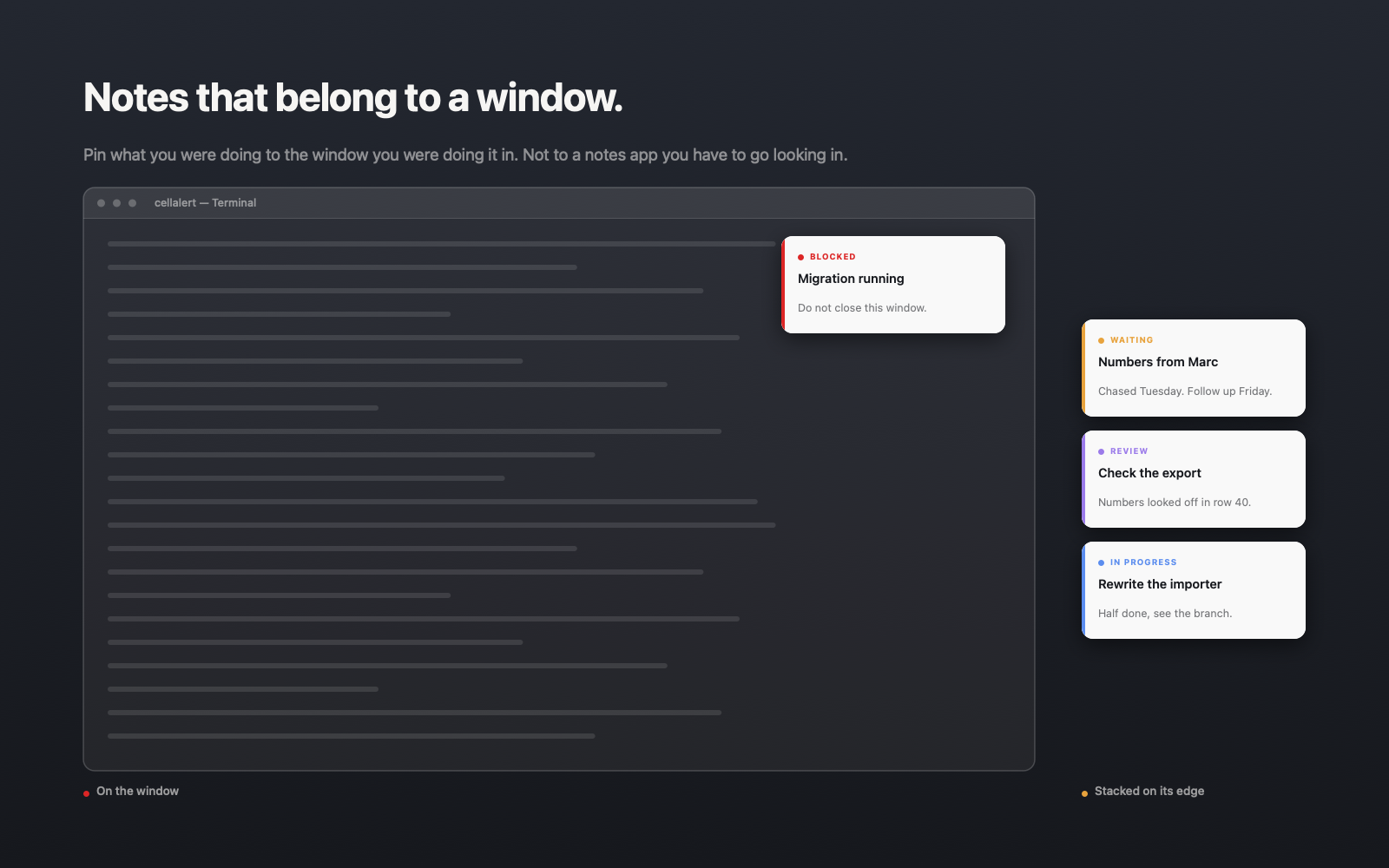
Three of four terminals are waiting on something
This is the case I built it for first. Terminals all look the same. The difference between "a migration is running here, do not close" and "I aborted something here two hours ago" is written down nowhere — except in your head, which holds it roughly until the next context switch.
⌃⌥⌘N over the window, Ctrl+Alt+Win+N on Windows. A note appears on it, you type, done. Two details do the work:
The note runs as a non-activating panel. You type into it while your terminal still looks active and is — no focus change, no clicking back, no process aborted by accident.
And it is bound to that window, not laid on top of the screen. It follows moves and resizes, disappears when the window is covered, minimised or on another Space, and is back when the window is. Not an overlay permanently floating in your way.
With several notes on one window you can drag each to where it belongs — or hang them outside along the window edge, where they cover nothing, like sticky notes around a monitor. Status and colour do the rest: In progress, Blocked, Waiting, Review, Done. A screen full of notes becomes readable at a glance, without reading a single one of them.
In a browser, the context lives in the tab
"A note per tab" usually fails because tabs aren't windows — there is technically nothing for the note to attach to. But in many apps the real context sits in the window title: the page in a browser, the conversation in a messenger, the working directory in a terminal.
So you decide per note what it hangs on:
- →This content — the note only comes back when exactly this page, conversation or file is open again. Otherwise it waits instead of guessing.
- →This window — the note follows the window even when the title changes. Right for a project window where you jump between files all day.
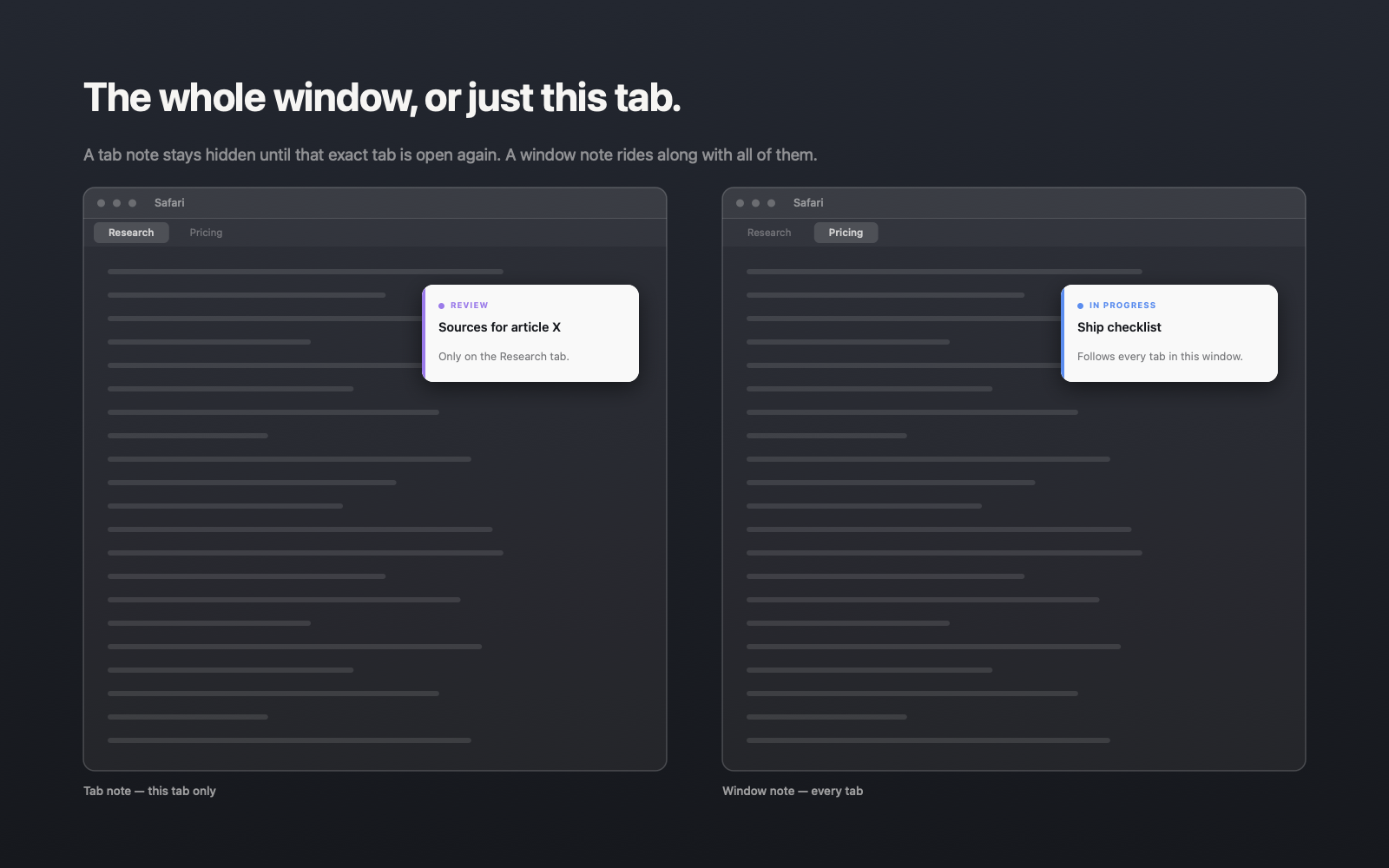
In practice: the research page gets "sources for article X, not verified yet" and the note reappears exactly when you next open that page. The project window gets "release checklist" and keeps it across every file.
After a restart, the note is still there
The operating system's window ID is worthless the moment the window closes. It is valid exactly as long as the thing it identifies — which makes it useless as an anchor for a note.
So notes hang on a fingerprint instead: which app, which document path, what the title looked like. On the next launch those fingerprints are matched against the windows that are open now — strongest signal first, from the exact document through the window title down to the project name inside it.
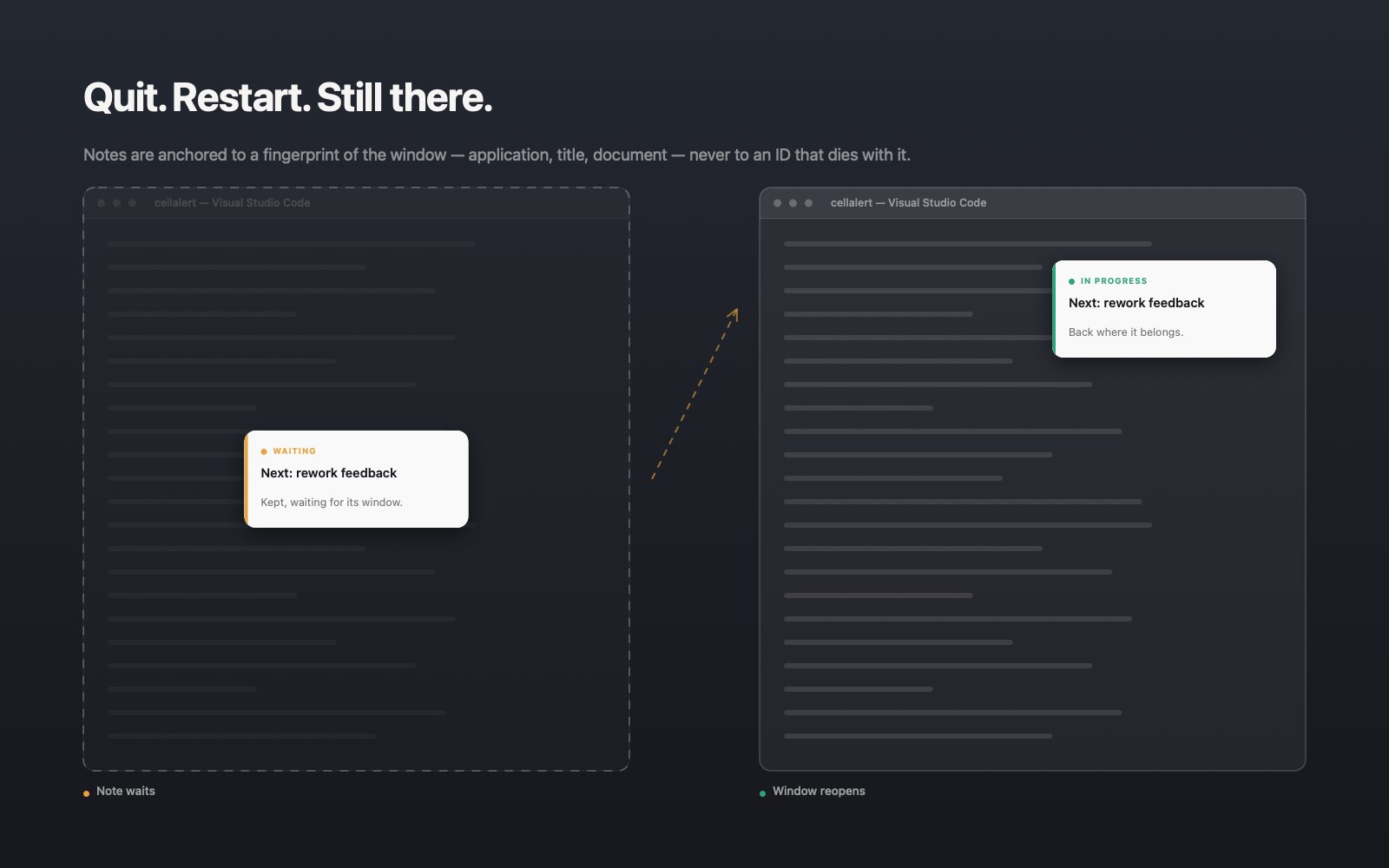
What matters to me here is how confident the match was — and that it says so. A confidently wrong match is worse than an admitted guess. And two different documents in the same app are never mistaken for one another, however similar the titles. Better a note that waits than one stuck to the wrong window.
Why this doesn't belong in Notion
Not because Notion is bad. Because two different kinds of knowledge end up in it, and only one of them belongs there.
Whatever outlives the working day — decisions, specs, documentation — belongs in the central tool. That's what searching, linking and sharing are for.
Whatever lives and dies with the window does not. "Migration running, do not close." "Numbers look wrong from row 40." "Waiting on Marc, chase Friday." In a central tool those sentences cost more than they're worth: you file them, and next time you have to find them and then re-associate them — which entry belonged to which of the four terminals again? The exact association that got lost is the one you're asked to rebuild by hand.
A note on the window spares you both steps. You don't search, because it's where you're already looking. And you don't re-associate, because the window is the association.
What it reads — and what it doesn't
WindowNote has to read window information from the operating system — on macOS through the Accessibility permission, on Windows through the system's window interfaces. Both are technically far-reaching, so here is exactly where the line sits:
It reads: the app's name and identifier, window titles, window position and size — on macOS also the document path when the app offers one. On Windows no document path is read; recognition there runs on app and window title.
It does not read: the contents of your windows, keystrokes, the clipboard, passwords, or the accessibility tree inside other apps.
Notes live in a SQLite database in your user folder. No account, no cloud, no telemetry. The only thing that ever leaves your device is the licence key during activation.
Price
Free for two windows, with no time limit — no trial that runs out. If you need more: €15 per year, up to three devices.
The limit is on windows, not on notes — on your two windows you can create as many notes as you like. And what you wrote stays readable and editable even if a subscription lapses.
WindowNote is in Early Access and runs on macOS and Windows. If you spend half your day jumping between windows, it's about five minutes of setup before you notice how often you used to guess.