What slips through is never the legal question. The brief is solid and the argument lands. Then, on the way out the door, something goes with it that nobody should see. The wrong party name on page 12. A comment a colleague left for internal eyes. Tracked changes with the whole negotiation history. The signature block from the last deal. And in the file's metadata, the name of whoever edited it and when.
None of that takes legal expertise. It takes two seconds of inattention. And it's exactly the kind of small thing that makes a partner lose confidence in an associate, and a client lose confidence in the firm.
I built The Second Look for that exact moment: the second look at a document before you hit "Send" or file it. Today it ships as version 1.0.
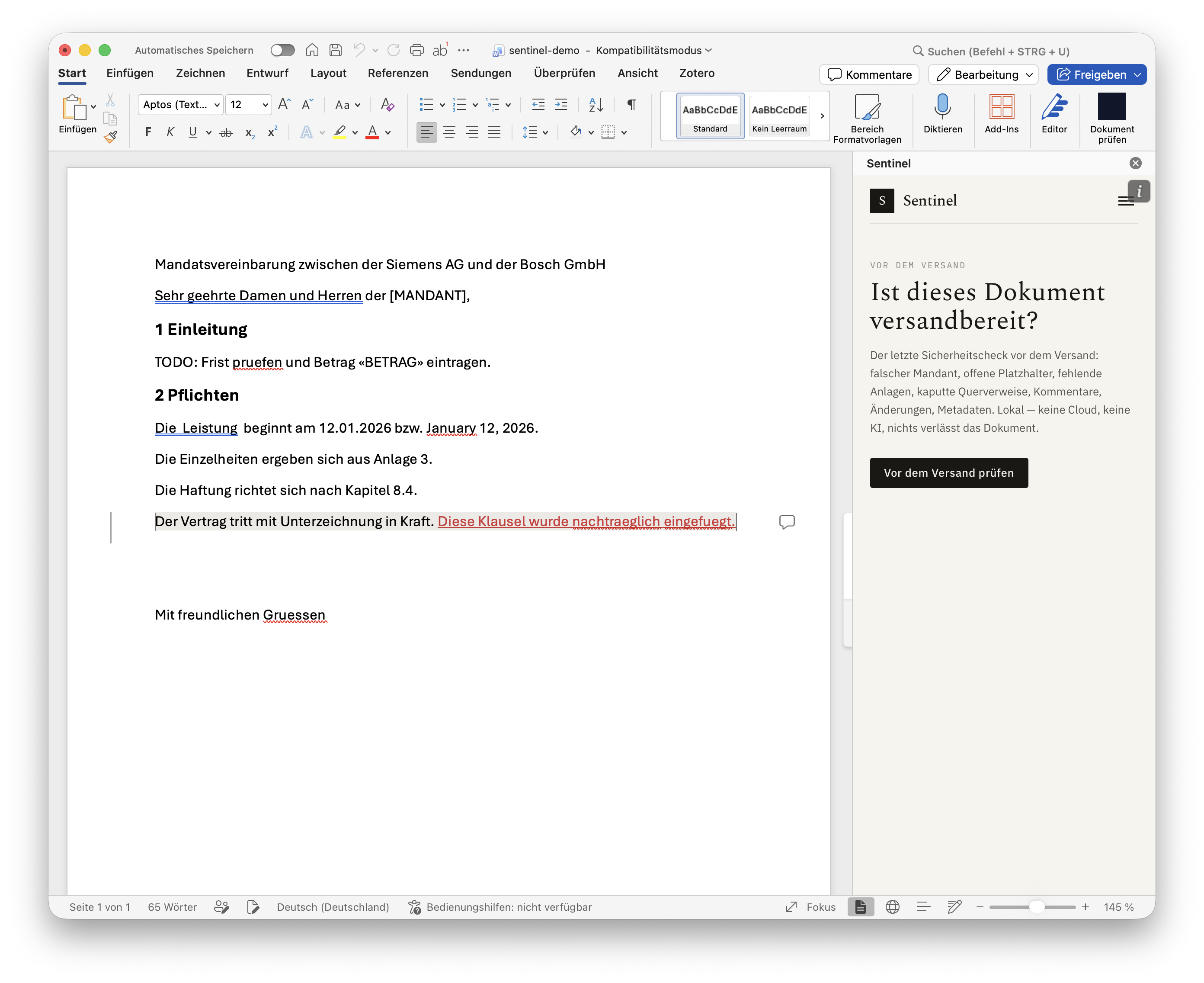
What it checks
One click inside Word runs the document against a growing list of the mistakes experienced associates name again and again:
- →Wrong client or parties: is the opponent, defendant or client still named on page 12 the way they were on page 3? Is there a stray company from the template sitting in the text?
- →Defined terms: used before they're defined, never defined, or spelled inconsistently.
- →Case numbers: a typo, or a file number carried over from another matter.
- →Leftover placeholders:
[CLIENT],XXX, template residue. - →Exhibits and cross-references: a reference to an exhibit or clause that doesn't exist.
- →Signature block: wrong signatory, missing party.
- →Open comments and tracked changes someone can still read.
- →Metadata and hidden content that ships with the file.
- →Numbering gaps, mixed date formats and inconsistent formatting.
It does not assess legal quality and gives no legal advice. It answers exactly one question: is this document clean, consistent and ready to go out?
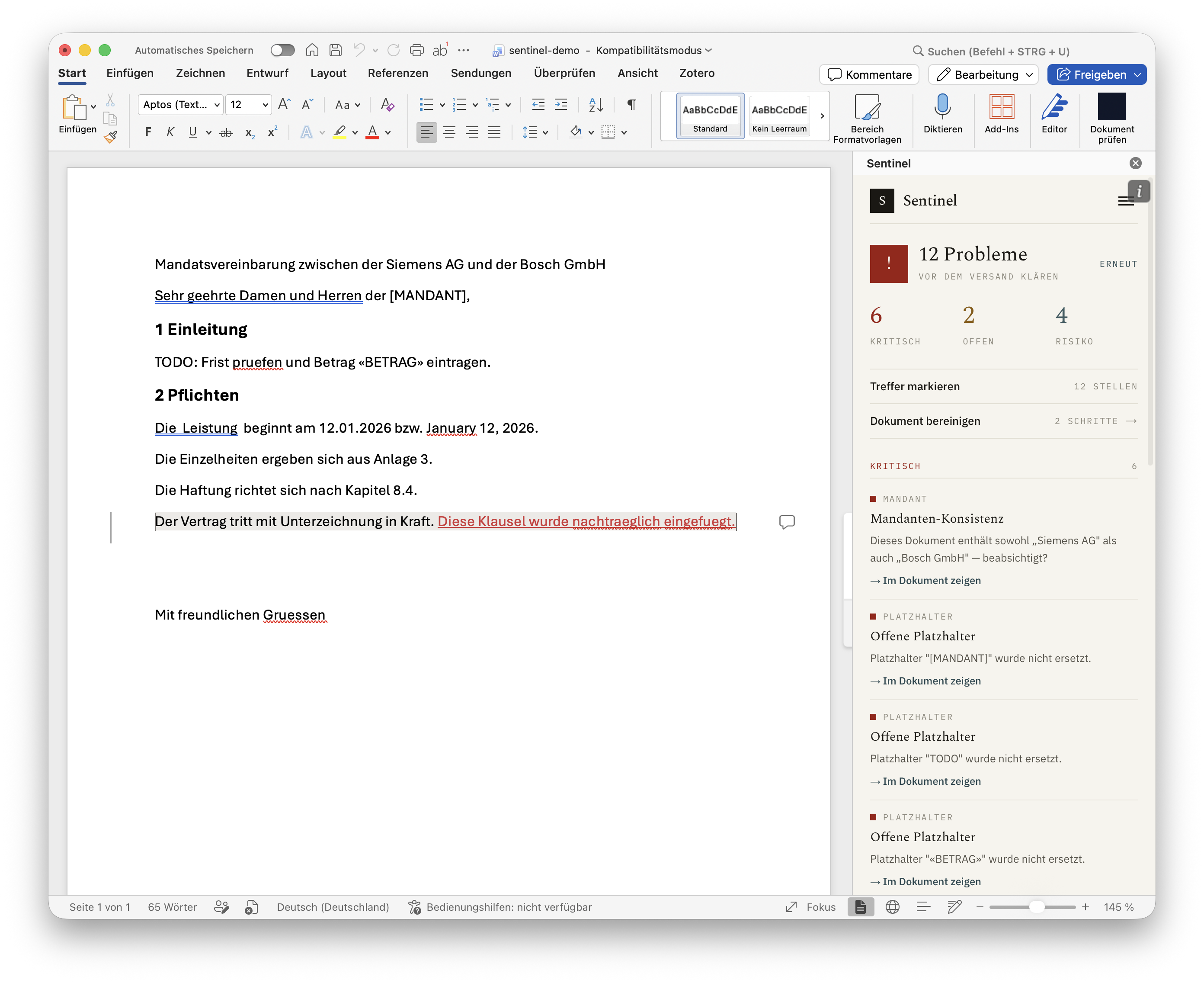
Find, don't rewrite: you decide
This is not an AI formatter and not a ghostwriter. The Second Look never changes anything silently. Every finding takes you to the exact spot, shows you precisely what would change, and waits for your OK. Changing a name, a date or a defined term can shift the meaning, and that call stays yours. The tool is built for finding. Fixes happen only when you confirm, with one click. Your text stays yours.
It also means the everyday cleanup you'd otherwise do across five different Word menus happens in one pass: remove all comments, accept or reject tracked changes, strip metadata.
Fully local, no cloud risk
For a law firm this is the part that matters: the document does not leave your device. No cloud, no AI at runtime, no transmission, no storage. The check runs entirely inside the add-in on your machine. Client confidentiality stays client confidentiality, and there's nothing to clear with IT about where the data goes, because it doesn't go anywhere.
That's why you can use it even where your firm's policy rules out AI tools: it never sends your draft to anyone.
Any language, any jurisdiction
A German firm writes English contracts. A US firm deals with foreign counterparties. So detection isn't tied to the document's language: a German GmbH inside an English-language agreement is caught just like a Swiss SA, a UK Ltd or a US LLC. Works the same on Mac and Windows.
How to get it
- 01Install the add-in in Word and activate it.
- 02Open a document and run The Second Look.
- 03Walk through the findings. Each one links to the exact spot, many come with a one-click fix. Then send it clean.
There's a free tier that stays genuinely useful (placeholders, comments and tracked changes), and a 7-day free trial for the full set of lawyer-grade checks, then an annual subscription you can cancel anytime. Details are on the app page.
The Second Look works inside Word. For PDFs, photos and scans you share from an iPhone or Mac, SendGuard checks for names, email addresses and hidden comments before they go out. And if the final PDF still needs a signature, see signing a PDF on your iPhone.
It doesn't replace your professional final review. It's the second look that catches what the professional review tends to overlook: the details.
