Apollo Connector
Apollo.io contacts straight into Odoo.
You've built a list of 500 qualified contacts in Apollo.io — now they need to be in Odoo. The standard import doesn't understand Apollo's field structure: company data ends up in the wrong places, phone numbers get mangled, and the enrichment you paid for is lost along the way. Cleaning it up takes hours, and next week brings the next export. This module moves the data across cleanly, by CSV or by API. CSV import works on every Apollo plan, the free one included: export, upload, check the preview, import. If you're on Apollo Professional or Enterprise, put your API key in the settings instead, test the connection with one click, and let it sync automatically hourly, daily or weekly; individual records can be refreshed any time with Sync from Apollo. Either way every field lands where it belongs: contact details and LinkedIn profile, company name, website, industry and employee count, the address with country and state resolved to real Odoo records, plus the enrichment — seniority, departments, keywords, technologies in use, annual revenue, funding rounds. Companies are created as parent records with contacts linked underneath, which is exactly the address book structure Odoo expects. Duplicates are detected by Apollo ID or email, and you're asked whether to skip or update them before anything is written. From the address book you turn contacts into leads with one click and assign them straight to a campaign if Cold Email & Follow-up Automation is installed. Every run is logged with the user, records created and updated, and any errors. Your API key stays in your own Odoo system settings and is only used to call Apollo. Free under LGPL-3. Requirements: Odoo 19 with crm and contacts, self-hosted or on Odoo.sh.
500 qualified contacts — stuck in a CSV file
The list is built: right industry, right size, right people. You paid for the enrichment — seniority, technologies, revenue, funding round. Now the data needs to be in Odoo so someone can actually work with it.
The standard import doesn't understand Apollo's field structure. Company data ends up on the contact, country and state stay as text instead of real records, phone numbers get mangled, and half the enrichment falls out along the way. Cleaning it up costs an afternoon — and next week brings the next export.
Two ways in, one result
CSV works on every Apollo plan, the free one included: export, upload, check the preview, import.
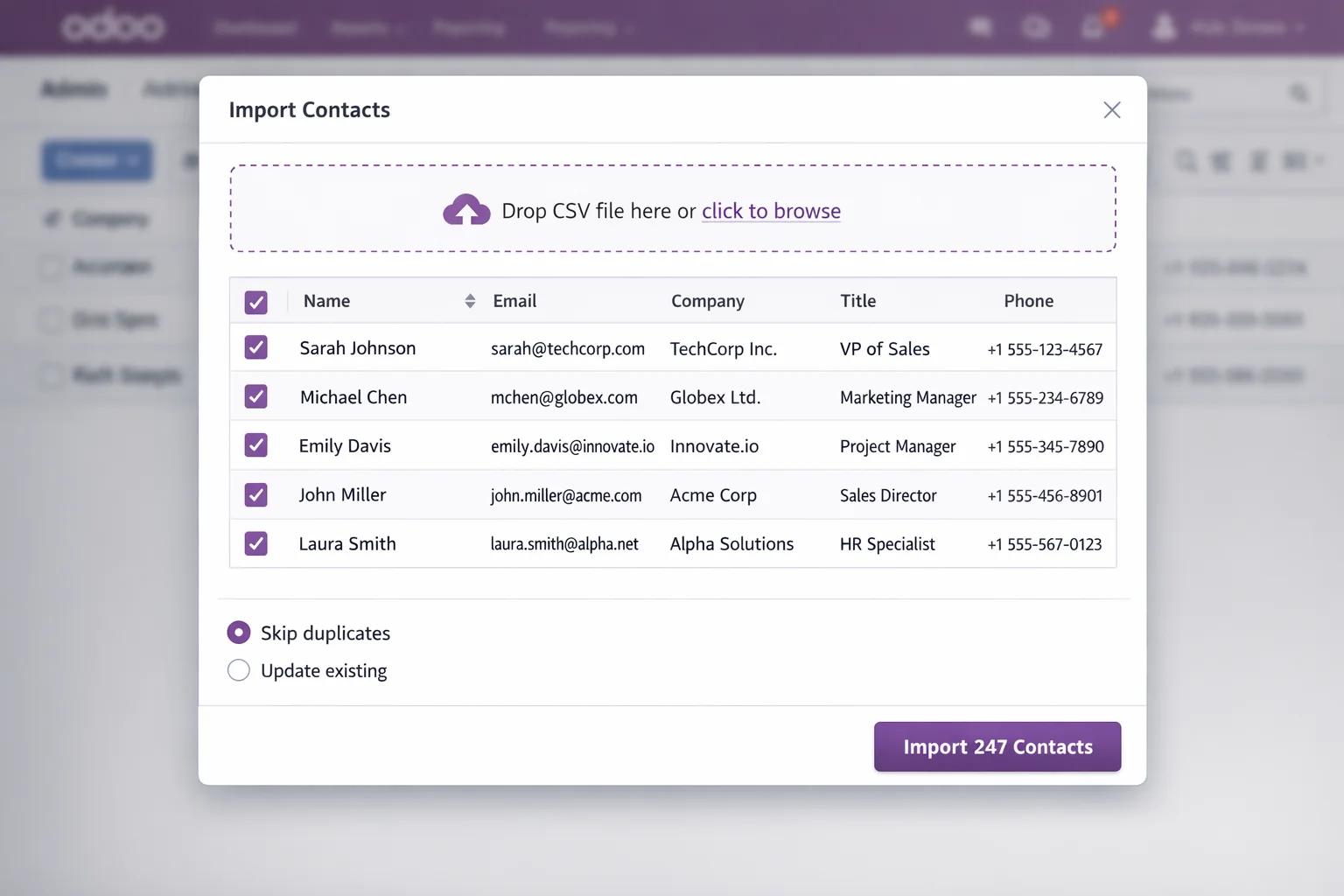
API is for Apollo Professional and Enterprise: put your API key in the settings, test the connection with one click, pick a rhythm — hourly, daily or weekly.
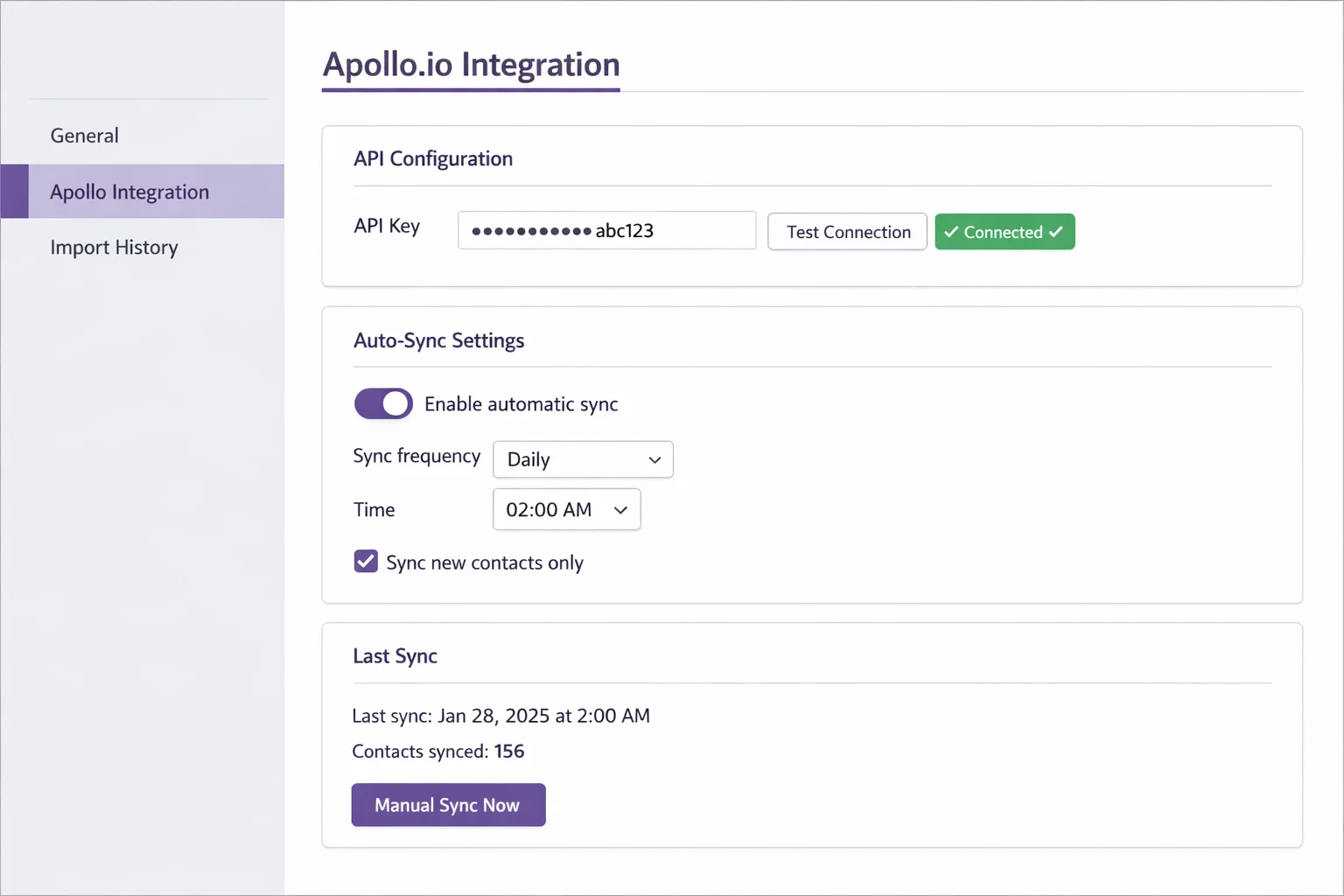
Individual records can be refreshed any time with Sync from Apollo — new title, new number, without touching the rest of your data.
Every field where it belongs
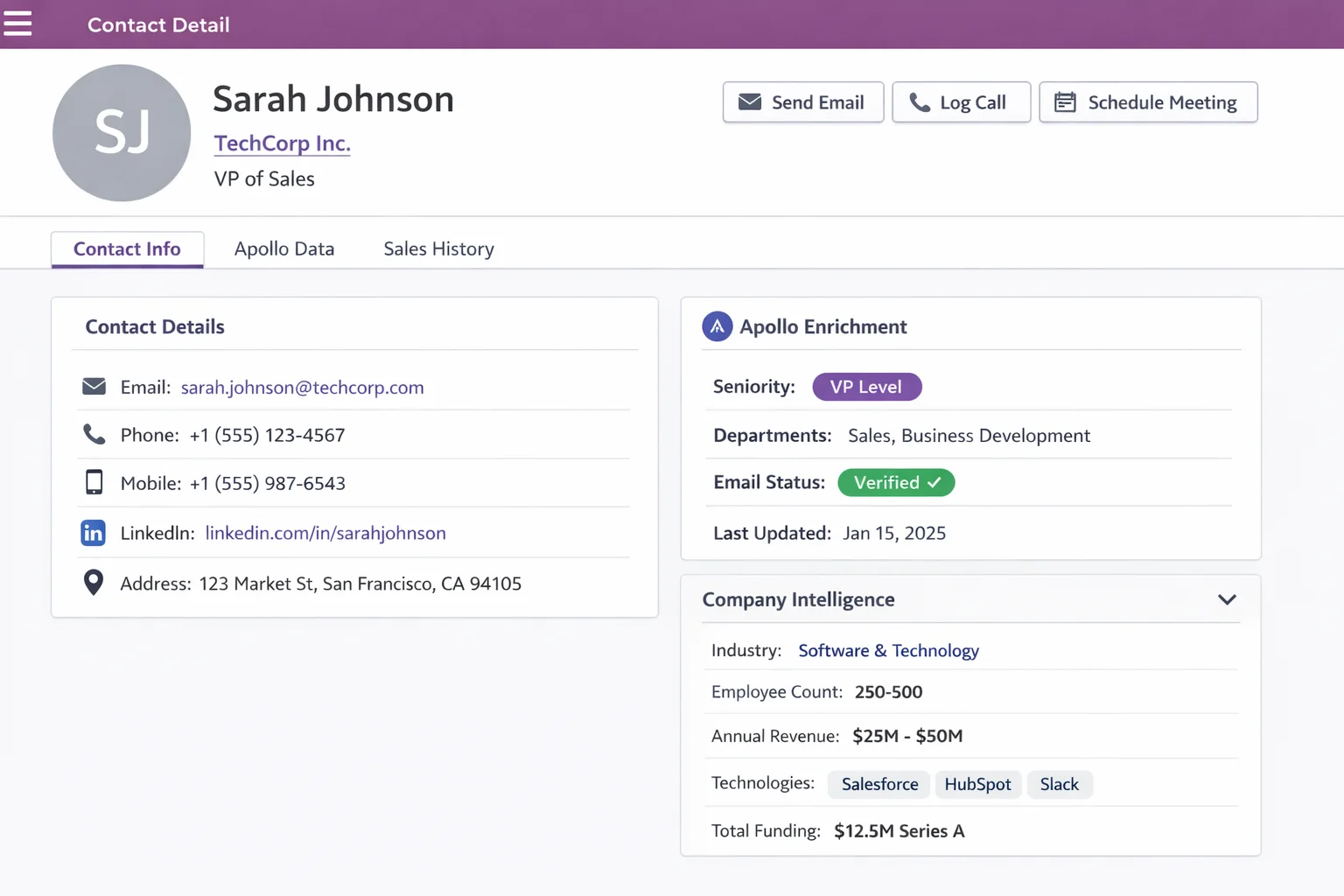
- Contact — name, email, title, phone, mobile, LinkedIn
- Company — name, website, industry, employee count
- Address — street, ZIP, city, plus country and state as resolved Odoo records, not free text
- Enrichment — seniority, departments, keywords, technologies in use
- Funding — annual revenue, total funding, latest round
- Apollo metadata — contact ID, account ID, email status
Companies are created as parent records with contacts linked underneath: exactly the address book structure Odoo expects.
Duplicates get detected, not created
Existing records are matched by Apollo ID or email address. Before anything is written you decide: skip, or update with the fresh data. So no second "Sarah Johnson" appears just because she was in two exports.
From contact to lead to campaign
In the address book you select the contacts worth pursuing and a wizard turns them into leads. With Cold Email & Follow-up Automation installed you assign them to a campaign in the same step — and the Apollo enrichment is right there as placeholders for the email.
"List in Apollo" becomes "running sequence in Odoo", with nothing in between.
Every run is logged
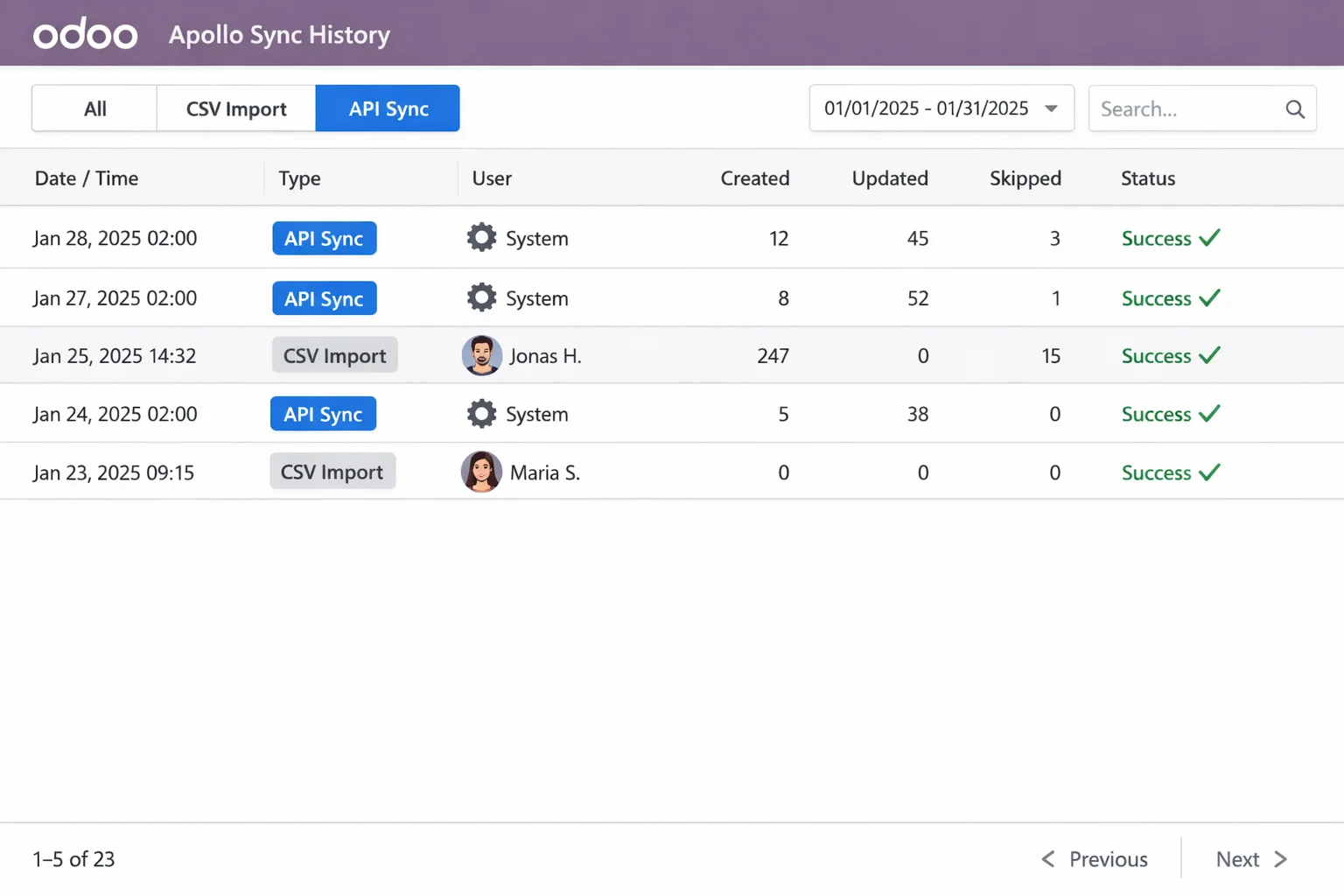
Who imported what and when, how many records were created, how many updated, where errors occurred. Traceable even when three people import in parallel.
Where your API key lives
In the system settings of your own Odoo instance. It never leaves your server and is used solely for calls made directly to Apollo — there's no intermediary service anything passes through.
Requirements
- Odoo 19 Community or Enterprise
- The
crmandcontactsmodules - For the CSV route: any Apollo plan. For auto-sync: API access from Apollo Professional upwards
- Self-hosted or Odoo.sh — Odoo Online (SaaS) does not allow custom addons
Free under LGPL-3.
Frequently asked.
Do I need a paid Apollo plan?
No. CSV import works on every plan, the free one included — same field mapping, same result. The automatic API sync is optional and needs an API key, available from Apollo Professional upwards.
Will the import create duplicates?
No. Existing records are matched by Apollo ID or email address, and before the import you choose whether they're skipped or updated with the fresh data.
Where does my API key live?
In the system settings of your own Odoo instance. It never leaves your server and is used solely for calls made directly to Apollo.
What happens to the contacts after the import?
They sit in your address book as regular Odoo contacts, each under their company. From there a wizard turns them into leads — and assigns them straight to a campaign if Cold Email & Follow-up Automation is installed.
Tech stack
- Python
- Odoo
- LGPL-3
Platforms
- Odoo 19
Tags
- Odoo
- Apollo.io
- CRM
- Open Source