What this is
The summer update is four weeks old, and the workshop has been busy. One finished game, one app in public preview, two projects in the works and three Odoo modules in the official app store. On top of that, updates for two desktop apps and a piece of infrastructure you only notice when it's missing.
New stuff first, then the workshop.
New: Chessplosion 1.0, chess where captures get thrown
There are a thousand chess apps, and most of them differ only in the board. So Chessplosion has a second mode that tips the game without touching the rules: capture a piece and you get to throw it back onto the board from your own edge, in the same turn. Anything that topples counts as captured, your own pieces included. There's no stockpiling. Skip the throw and you lose it, otherwise whoever's ahead would hoard projectiles and the game would be over.
You throw from well behind your own back rank, and that distance is the whole difficulty: the same small angle error lands much further off by the time it reaches the target. The three difficulty levels don't tweak a number. They change how much you see: the full arc, then half of it, then only the release direction. The hardest level adds crosswind. A toppled king ends the game.
Prefer it straight? Leave the mode off and you get complete chess with castling, en passant, promotion and draw rules. Play two people on one device or against a homegrown AI in three strengths. It runs an alpha-beta search instead of an off-the-shelf engine, because Stockfish is GPL and that clashes with App Store terms. On the lower levels it misses on purpose now and then, which feels more human than an engine making the same mistake every time. It throws, too.
Everything runs on-device, with no account and no server. Version 1.0 for macOS is out as a signed and notarized download. Windows, iOS and Android follow.
New in public preview: BalaneDisk
Your machine gets slow, the disk fills up, something is chattering in the background. And all the system tells you is a bar labeled "Other: 214 GB". BalaneDisk shows you what's inside:
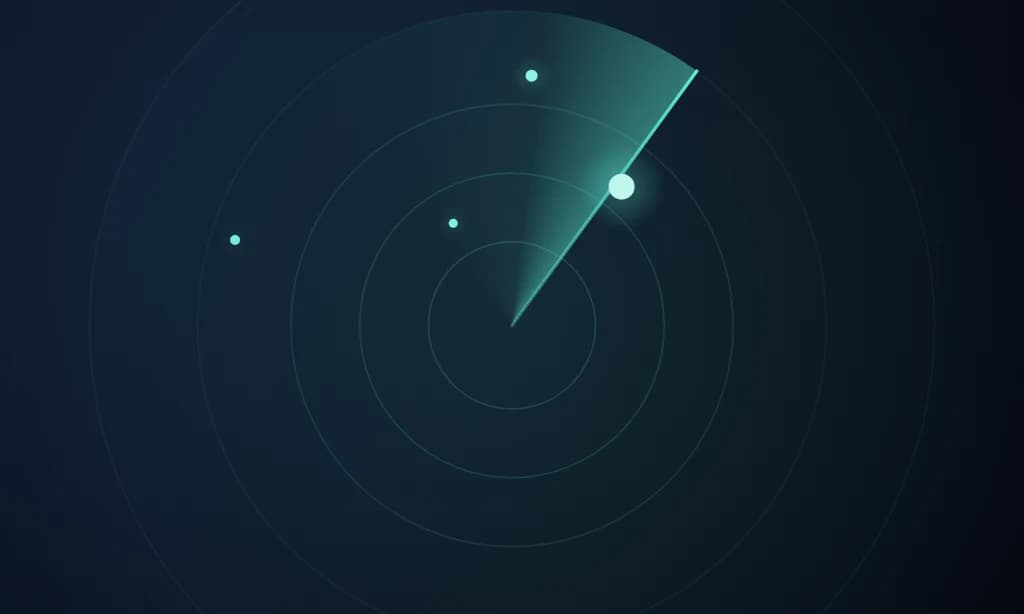
- →The sonar shows every running process as a dot on a radar, split into sectors by origin. Distance from the center is memory.
- →The disk view measures where the space went, including the hidden volumes Finder never shows. Whatever it couldn't attribute, it says so openly.
- →The world map shows which countries your programs talk to. The country, operator and tracker databases all live inside the app, so checking where your machine sends data never gives away where you are.
One principle runs through all of it: BalaneDisk deletes nothing. It measures, it recommends, you decide. The only thing it ever does to a file is move it to the trash once you confirm, with every path in front of you.
Six preview builds have shipped since July 23, the latest being 0.1.5. Here's what landed:
- →It tells you now. If your disk will be full on Thursday, you want to know on Monday. Notifications are deliberately quiet: nothing between 10pm and 8am, never the same kind twice a day, at most one every four hours, and none at all while the window is open.
- →The history has something to say. Days of recording now turn into statements: a folder that's been growing for nine days, gigabytes that vanished overnight, a week of steady loss with a date at the end. Recording is on for everyone from now on, so if you subscribe later you still find out about last week.
- →The storage map measures with length, not color. Twenty gigabytes and eight megabytes used to look almost the same. Now they're sorted rows, and the bar length is the measurement. The long tail is rolled up into one row you can expand, instead of being drawn as slivers.
- →Start hidden at login, so the recording has no gaps. Closing the window now sends BalaneDisk to the menu bar instead of quitting it.
Every finding stays free, including the warning before your disk fills up. The subscription doesn't buy a feature. It buys memory: two hours of history without it, the whole day and further back with it. €4.99 a month or €24.99 a year, on macOS and Windows. Guides for full disks live on disk.balane.app.
In the works: Balane Desk and usable.software
Balane Desk restores complete window setups. You set up your desk properly once, with the right apps open and every window where you want it, and hit "Capture". From then on, one click launches the apps and moves every window into place, with one profile per working context. There's no config file and no rules editor. You set it up by dragging windows around. Unplug a monitor and nothing ends up off-screen; windows move onto the screens you still have. And the app tells you how many windows it actually placed, not how many it was supposed to. For macOS and Windows, in development.
usable.software is a size bigger: business software you rent, cancellable monthly. Nothing gets developed or generated. You pick your trade and click the modules your business actually needs: job sites, scheduling, measurements, site diary, defects, equipment, team chat. The configurator prices it live, and a preview in your branding shows your system before you order. Every user gets the interface and their tasks in their own language, and chat messages are translated automatically. That's the moment the crew and the site manager finally have the same information. It's hosted at your own address or as a container on your own infrastructure, and you can export your data at any time.
Three Odoo modules, free under LGPL-3
All three are listed on the official Odoo App Store for Odoo 19. I built them for my own business and use them every day.
CRM Direct Email fixes a small thing that hurts daily. In Odoo Community, the To field stays empty when you write from a lead, because the mail composer only knows followers. So you add the contact as a follower, reopen the composer, and only then write. On every single lead. The module resolves the linked contact and fills them in as the recipient. One Python file, nothing to configure, no database changes.
Cold Email & Follow-up Automation adds the missing outbound workflow to the CRM:
- →Campaigns built from several templates, each step with its own delay, and a native Odoo activity for every follow-up in the responsible rep's feed.
- →Everyone sends from their own address, with their own signature and SMTP server. The recipient sees a person, not an info@ mailbox.
- →Replies are detected automatically. The sequence stops and the status flips to "Replied".
- →30+ placeholders with a pre-send check for fields that would come out blank, Do Not Contact on three levels that cascades from a company to all its contacts, and a queue that a cron job works through one email per minute.
It replaces Lemlist, Apollo Sequences or Outreach.io, with no second tool, no sync and no addresses leaving your Odoo.
Apollo Connector moves Apollo.io contacts into Odoo cleanly. CSV works on any plan; the API works from Professional up and syncs hourly, daily or weekly. Every field lands where it belongs, including the enrichment you paid for: seniority, departments, keywords, technologies, revenue, funding rounds. Companies become parent records with their contacts linked underneath. Duplicates are caught by Apollo ID or email, and you're asked before anything is written.
The workshop: what got updated
WindowNote 0.9.0 and 0.9.1. The first public build shipped on July 22, the second the same evening. That second one closes the real gap: on Windows, the notes now appear at all. Before, they were created and saved but never displayed. There's also a tray icon with a menu, closing the window now hides it instead of quitting, and there's a "Start with Windows" option.
On the Mac, a tab note now remembers the window and its position in the tab strip, not just the title. Following a link no longer costs you the note, even across a restart. "Pause" actually pauses now, and Settings → Copy diagnostics lists which windows WindowNote currently sees. Why the app exists at all is in four terminals open, and each one tells you what it's running.
FlowVisual 1.0.1 to 1.0.3. Three maintenance releases since July 22, signed and notarized for macOS, each with a Windows installer alongside. Plus a new icon. The rest of the story is in the summer update.
Icons. GridBar has a new graphite-and-teal design as of 1.4.1, and SendGuard has a new icon too.
Under the hood. Download buttons now always point to the latest version instead of a pinned release, so a link stays current once it's out there. Downloaded apps check the current version number once at launch and show a note in the menu when something newer is available. No account, no tracking, no automatic install behind your back.
To close
A game, a diagnostic tool, two projects in the works, three Odoo modules. The thread is the same as always: runs locally, no forced account, no data for me to mine. And for everything that measures, the BalaneDisk rule applies: measure, explain, and leave the decision to you.